

Wild Robin Casino App Download and Login Guide
The Wild Robin Casino App is usually searched by players who want a quicker mobile route to the game lobby than a desktop browser. This guide explains the download paths people typically look for, how Android APK installs work, and what to expect on iOS. It also covers login basics so you can understand how account access normally works on a phone. If you are comparing the Wild Robin App with the web version, the differences are mostly about convenience and device support.
People also search for terms like Wildrobin App Download and Wild Robin Login App when they want a simple start-up process on mobile. That is why this page focuses on practical steps rather than marketing claims. You will see where APK files fit, how to reduce installation risk, and how the mobile interface usually handles navigation. The goal is to make the Wildrobin Casino App topic easier to understand before you decide how to access it.
Wild Robin App Download Options for Android and iOS Users

Android users usually have two practical routes: a browser shortcut or an APK file, while iPhone users often rely on a web-based version. For that reason, Wild Robin App Download searches tend to split along device lines rather than by game type. The safest route is always to start from the mobile site you are reviewing and confirm whether a native file is actually offered. If there is no app-store listing, that does not automatically mean the Wildrobin App cannot be used on a phone.
A lot of confusion comes from the fact that the phrase Wild Robin Casino App can mean different things depending on the page you land on. Sometimes it refers to a downloadable Android package, and sometimes it simply means a mobile-optimised site with an icon on the home screen. iOS users in particular should check whether the experience is browser-based, because Apple devices handle third-party installs differently. That small detail matters more than the name on the page.
How can you tell whether a download is meant for your device?
The quickest clue is the file type or delivery method attached to Wildrobin App Download. An APK points to Android, while a browser shortcut or web launch usually fits iPhone better. If a page asks you to install a file that does not match your device, stop and verify the source first. A sensible review habit is to match the download route to the operating system before anything else.
With Wild Robin App pages, the wording often matters as much as the button itself. A page that promises instant access but gives no file details may be describing a mobile site rather than a standalone app. That is not a problem on its own, but it helps to set expectations. You want to know whether you are installing software or simply saving a shortcut.
What should iOS users expect?
On iPhone and iPad, Wildrobin Casino App references often lead to a browser-based experience instead of an installable file. That is normal because many gaming sites avoid direct App Store distribution. In practice, the mobile page loads in Safari and can often be added to the home screen for faster access. The result feels app-like even if no separate installation package exists.
This is where Wild Robin App Download searches can be misleading for Apple users, because they may expect an actual file. If a site suggests a method that bypasses normal iOS controls, treat that with caution. A clean browser setup is usually easier to manage and simpler to remove later. For most readers, the key is convenience without losing track of the source.
Before you download Wildrobin App, it helps to do a quick safety check first.
- Confirm that the file or shortcut matches your device, especially if you searched for Wildrobin Apk.
- Make sure the page explains whether you are downloading software or saving a browser shortcut.
- Check that your browser or device settings allow the chosen method.
- Read any permissions request before you accept it.
- Keep a copy of the page details so you can recognise the same Wild Robin Casino App source later.
A minute of checking can prevent most common mobile download mistakes.
How to Install Wildrobin Apk on Android Devices Safely

Android installation usually starts with a file manager warning, because Wildrobin Apk packages are not handled the same way as Play Store apps. Before you begin, check that the file came from the same source page you intended to use and that your phone has enough storage. A safe install also depends on keeping your browser and security settings under control. If the package name or version looks inconsistent, pause and verify before tapping anything.
The phrase Wild Robin Apk often appears when users are looking for a direct Android file rather than a web shortcut. That makes the setup process more sensitive, because you are taking responsibility for the file yourself. A careful install should feel deliberate, not rushed. If the instructions are vague, that is a sign to slow down and read them again.
Which Android settings matter before you install?
Modern Android phones usually block unknown installs until you allow them for a specific browser or file manager. That means Wildrobin Apk setups often begin in system settings rather than in the file itself. You should only enable this for the app you actually used to download the file, then turn the permission back off if you do not need it. This keeps the phone easier to manage later.
It also helps to check battery level, storage space, and any security alerts before opening Wild Robin Apk. A half-finished install can leave you with a broken file and no clear idea why it failed. If the device asks for unnecessary permissions during setup, that is another reason to stop and review the source. Clean installation habits matter more than speed here.
What is the safest step-by-step install flow?
The easiest way to handle a Wildrobin App Download on Android is to treat each step separately. Download the file, confirm the file name, open it from your downloads folder, and watch for the system prompt that begins installation. After that, review permissions instead of tapping through every screen blindly. The phone should always tell you what it is about to install.
If the file opens without a normal Android prompt, treat that as a warning sign for Wildrobin Login App searches that may have led you to the wrong page. A real installer should make the source and action clear before anything changes on your device. Once installation finishes, open the app only after you are confident the file was the one you expected. That extra check is a simple way to avoid confusion later.
For Wild Robin App Download on Android, a structured install order reduces mistakes.
- Open the download page and confirm the APK file is intended for Android.
- Check storage space and enable installs from your chosen browser or file manager.
- Download the file, then locate it in your downloads folder.
- Review the install prompt, app permissions, and publisher details before continuing.
- Open the app only after the installation finishes without errors.
If any step looks different, stop and re-check the Wildrobin Apk source before trying again.
Wild Robin Login App Access and Account Setup Steps
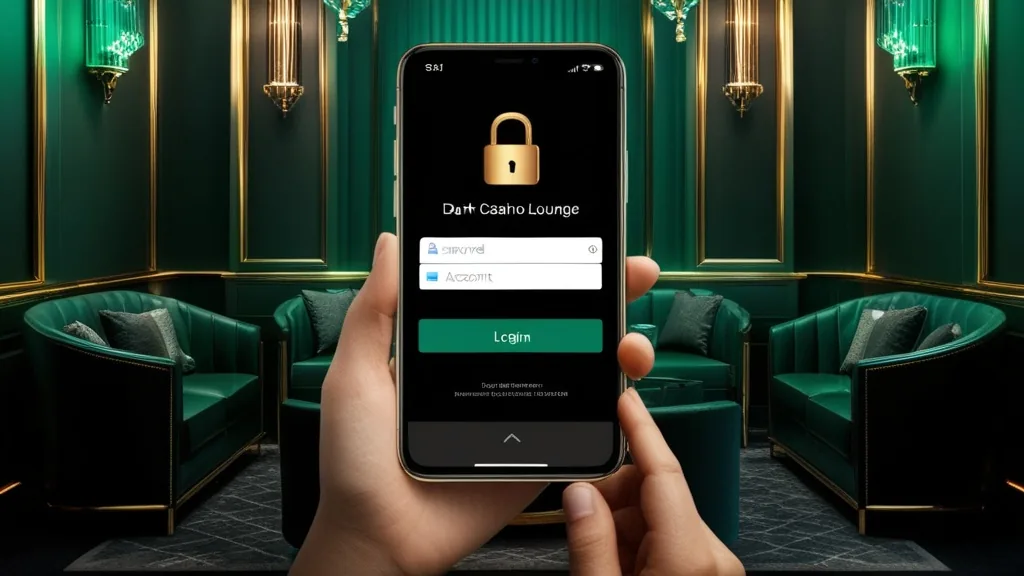
Login issues usually begin with the simplest thing: the wrong page, the wrong password, or a stale session. When people search for Wild Robin Login App, they are often looking for a fast way back into an account they already created. The good news is that most mobile login screens behave like the desktop version, just with less space. The tricky part is keeping your details consistent across devices.
New users searching Wildrobin Login App may expect the process to start inside a separate download, but account setup is usually a form-first task. You normally need a valid email address or phone number, a secure password, and a way to confirm your details if the site asks. If the page offers social sign-in or quick registration, read the labels carefully. A few seconds spent checking fields can prevent a lot of later frustration.
How do you sign in on a phone without getting locked out?
A Wild Robin App login should be straightforward if your credentials are correct and your session is current. Use the same email or username you registered with, and avoid switching between browsers while you are trying to sign in. If the site remembers you, clear only what you need rather than wiping every setting at once. That keeps the login process easier to diagnose.
If the page keeps rejecting a valid password, the issue may be a typo, cached data, or a temporary block after too many attempts. Searches for Wildrobin App often reflect this problem, because users assume the app itself is broken when the issue is actually account data. A password reset is usually safer than repeated guesses. Slow, deliberate retries are better than forcing the system to lock you out.
What should new users prepare before account setup?
Before starting Wild Robin Login App registration, it helps to gather the basics: a real contact address, a unique password, and any identity details the form requests. New users often rush this part and later discover they cannot verify their account cleanly. If the page asks for age confirmation or terms acceptance, read those fields before continuing. Clean setup data makes mobile access easier later.
The phrase Wild Robin Casino App can sometimes make registration sound more complicated than it is, but the actual process is usually routine. You fill in the form, confirm the request, and keep the account details somewhere you can retrieve them. If two-factor verification is offered, use it because it reduces the risk of being locked out. A prepared user usually gets a smoother first login.
Wildrobin Casino App Features, Navigation, and Game Access

On mobile, the most useful features are the ones that reduce taps, and Wildrobin Casino App layouts usually reflect that. The lobby, search tools, game tiles, and account menu all need to fit a smaller screen without feeling crowded. If the interface loads cleanly, you can move from one section to another without losing your place. That is what makes a good mobile review different from a simple desktop screenshot.
Many people search Wild Robin App because they want to know whether the game library is easy to reach on a phone. The answer depends less on flashy graphics and more on whether the navigation stays readable, the buttons respond quickly, and the game pages open without delay. A strong mobile layout should not force you to hunt for basics like support, balance, or settings. Small usability details matter more than decoration.
What does the main lobby need to do well?
The lobby should make Wildrobin App Download users feel oriented within a few seconds. That means clear game categories, a search function that actually works, and obvious access to account tools. If the featured tiles are too heavy or cluttered, the phone will feel slower even when the connection is fine. A clean lobby is the first sign that a mobile site was designed with real devices in mind.
For Wildrobin Casino App visitors, the lobby is also where loading speed becomes visible. If the page freezes between sections or hides important controls below too much scrolling, the experience becomes tiring fast. Good navigation should reduce effort, not add it. The easier it is to find a game, the more natural the app feels.
How do game pages and controls behave on mobile?
Game pages inside a Wild Robin App should open without awkward zooming or sideways scrolling. The controls, rules, and loading indicators need to stay legible on a narrow screen. If a game needs extra taps just to start, that usually means the mobile layout is not optimised well enough. Smooth presentation matters because it affects how confident a player feels before using any game.
When people compare Wild Robin Casino App access on different phones, they are usually comparing responsiveness rather than graphics alone. A faster page with simple controls is often more useful than a flashy page that stutters on weaker devices. Good touch targets, stable orientation, and readable text are the main priorities. Those basics make the app easier to use day after day.
Which small settings improve everyday use?
A few device habits can make Wild Robin App Download pages feel much smoother, especially on older phones. Keeping background apps closed, updating your browser, and using a stable connection all help the mobile interface load more predictably. If the site allows dark mode or display adjustments, those can also reduce eye strain during longer sessions. Small changes often improve the experience more than people expect.
For Wildrobin App users, notification settings, saved passwords, and shortcut placement can matter just as much as the game itself. If your home screen is cluttered, the app feels harder to reach even when it is technically installed. Organising the phone once usually saves time every day after that. That is the sort of practical detail a good review page should mention.
| Feature | What it does | Why it matters on mobile |
|---|---|---|
| Lobby navigation | Groups games and menus in one place | Reduces taps and helps you find titles faster |
| Login shortcut | Keeps returning users moving quickly | Useful for people who open the app often |
| Game loading | Starts selected games inside the mobile browser or app | Affects whether the session feels smooth or sluggish |
| Account settings | Holds password, limits, and support options | Keeps account management accessible on a phone |